
Built by a coworking space, for coworking spaces
Run your whole space from one screen.
Bookings, billing and invoicing, virtual mail, members, marketing, and door access in one platform, instead of a calendar app, a payments dashboard, three spreadsheets, and a shoebox of mail.
- ✓ Month to month, no annual contract
- ✓ No setup or onboarding fee
- ✓ Payments go to your own Stripe
One login instead of
- A booking calendar
- Stripe dashboard + spreadsheets
- A paper mail log
- Door-fob software
- A Wi-Fi captive portal
- An email marketing tool
- A contact-form inbox
- A seating chart on a whiteboard
Everything your space runs on.
No add-on menu. Door access, Wi-Fi, print, and mail are part of the price, not extra line items once you're committed.
Desks & rooms
Hot desks, dedicated desks, and meeting rooms on one calendar. Members book themselves; included hours and overage pricing apply automatically.
Billing & invoicing
Recurring plans on your own Stripe account, plus check and cash payments recorded against real invoices. Proration, credits, and retries handled.
Virtual mailbox
Log mail in seconds, notify members, and work the scan, forward, and shred queues. PS Form 1583 and ID checks built in.
Member portal
Members book, pay, manage mail, and request door access from their phone. No app to install, and it carries your brand.
Marketing & inquiries
Win back quiet members with credit or coupon offers and see who came back. Answer website inquiries with an AI-drafted reply.
Corporate accounts
Bill a company for its people with contracted rates, e-signed rate agreements, and one consolidated monthly statement.
Door access
UHPPOTE controllers driven by membership. Fobs and Virtual Keys, member key requests with photo ID, and time-based access schedules.
Wi-Fi & print
Member Wi-Fi login, presence-based desk hours, partner guest access, and print jobs logged to the person who sent them.
See it running.
These are real screens from the product, shown with a demo space and sample members.
Today at a glance
Open the laptop and know what today looks like.
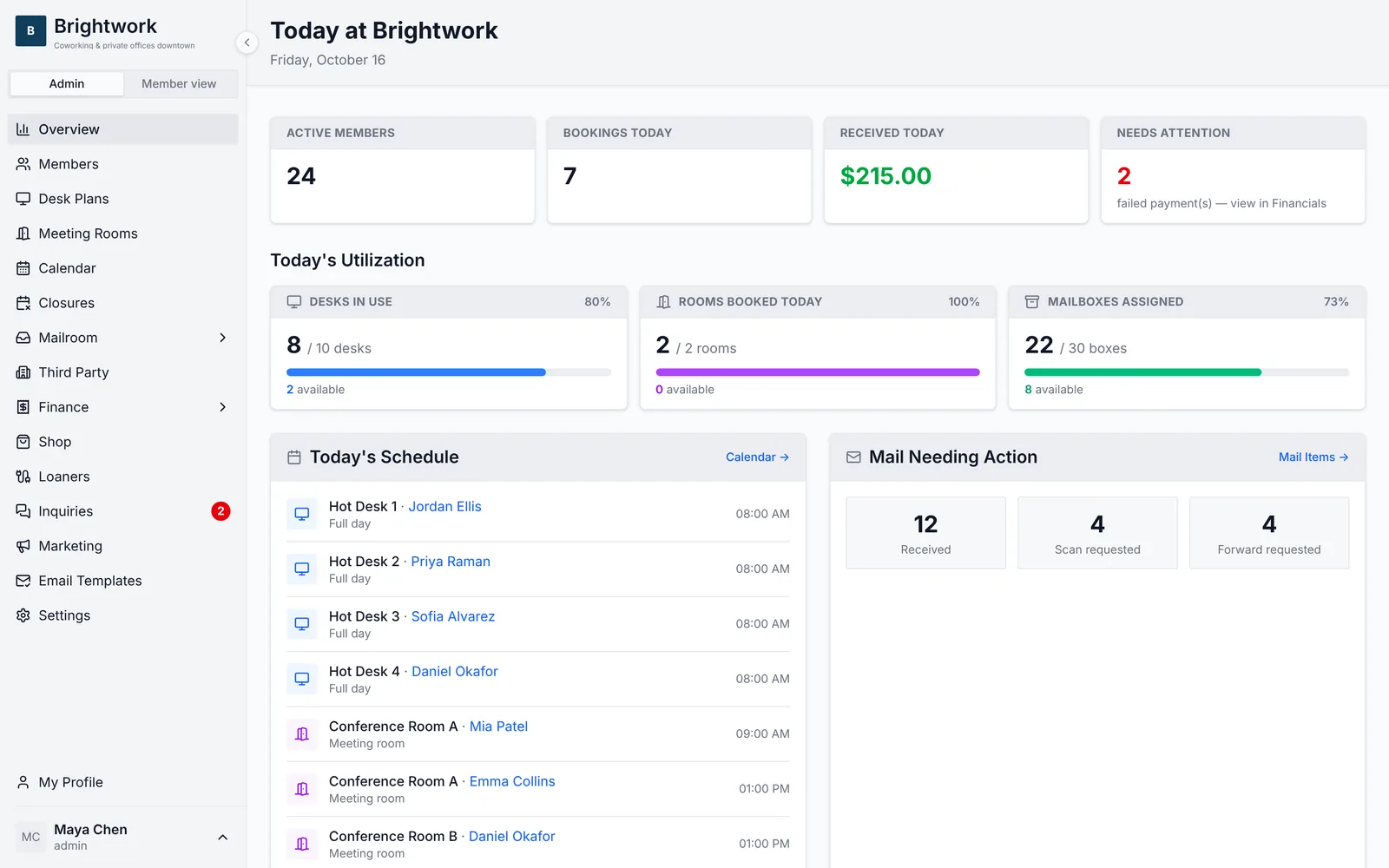
The Overview is the front desk's home screen: who's booked, who's in, what money came in, and what needs a person's attention before it turns into a problem.
- Live desk, room, and mailbox utilization
- Today's schedule across desks, rooms, and your Google Calendar
- Mail waiting to be scanned, forwarded, or picked up
- Failed payments, pending activations, door-key requests, and missing 1583 paperwork, flagged
Bookings
Desks and rooms on one calendar.
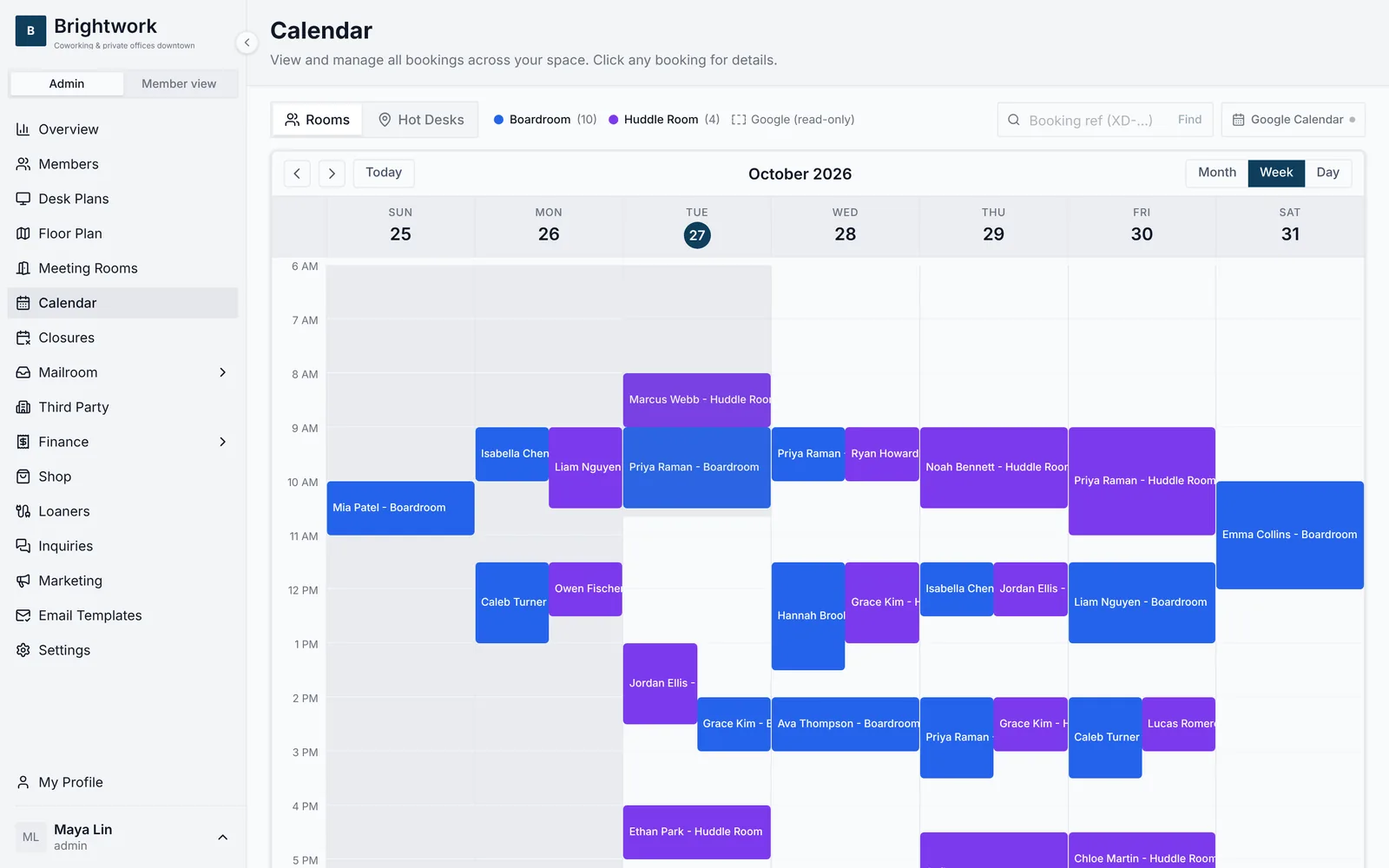
Members book a desk for the day or a room by the hour, and included plan hours are used before anyone is charged. You see the whole week at a glance and can book on someone's behalf.
- Every booking gets a reference you can search
- Book for a company and its contact gets the confirmation
- Two-way Google Calendar sync and overlay
- QR check-in cards for every desk; closures cancel and refund for you
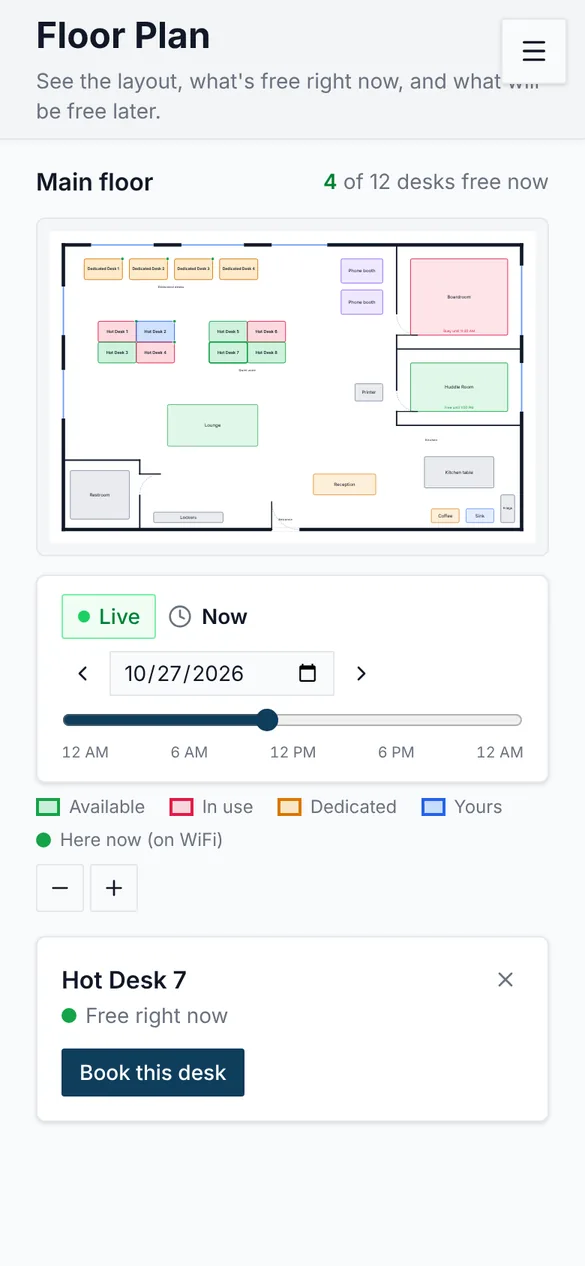
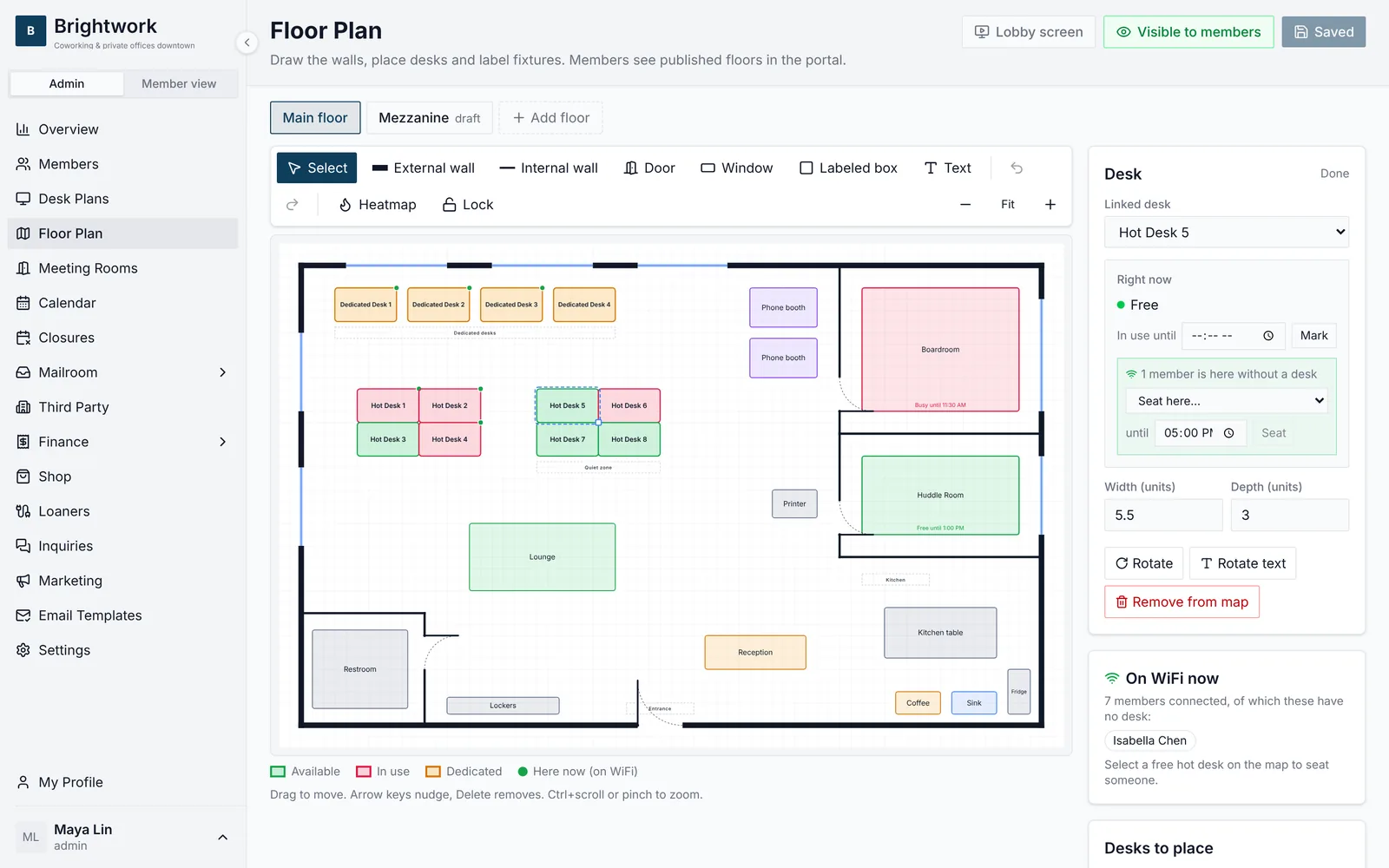
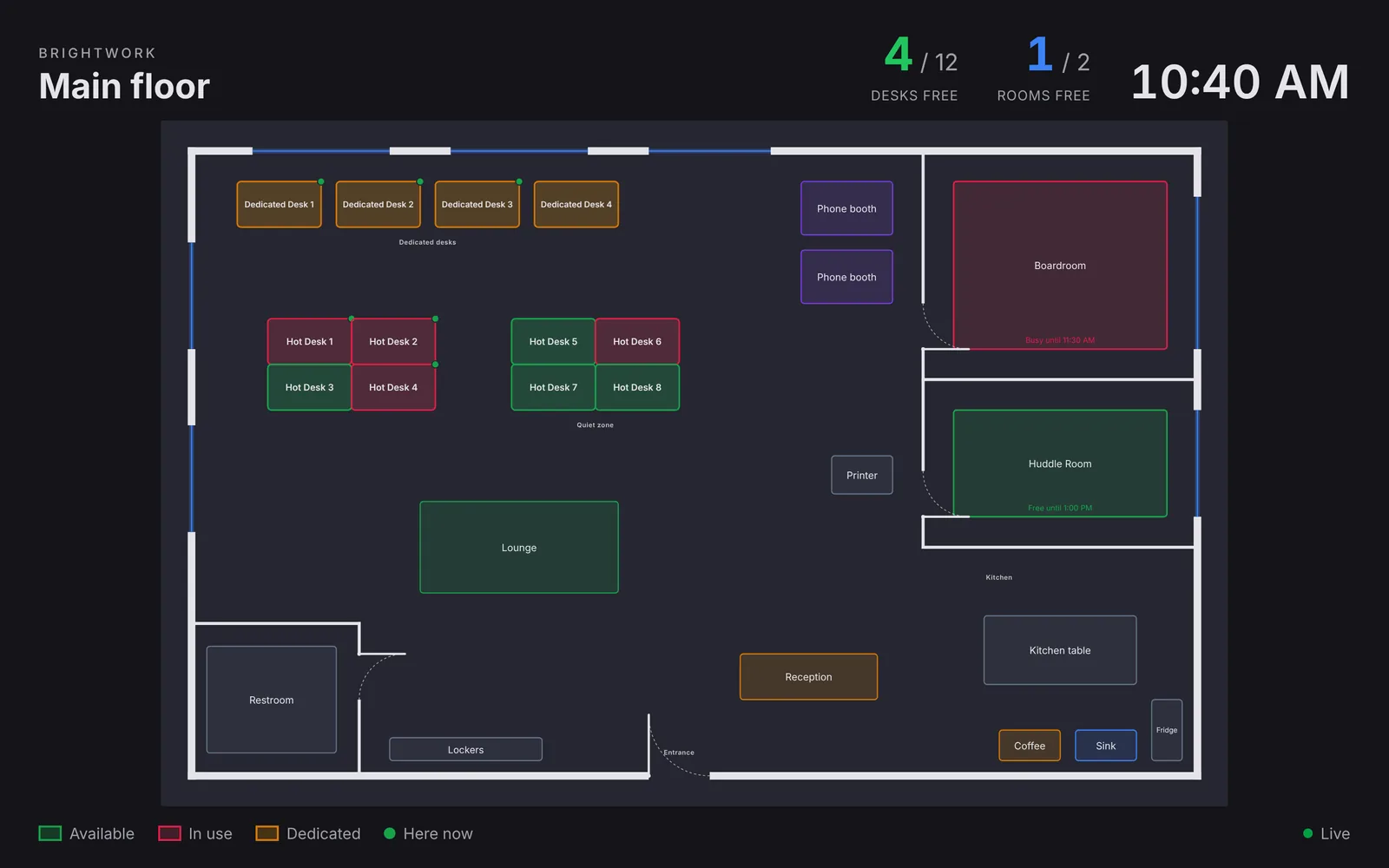
New: Floor plan
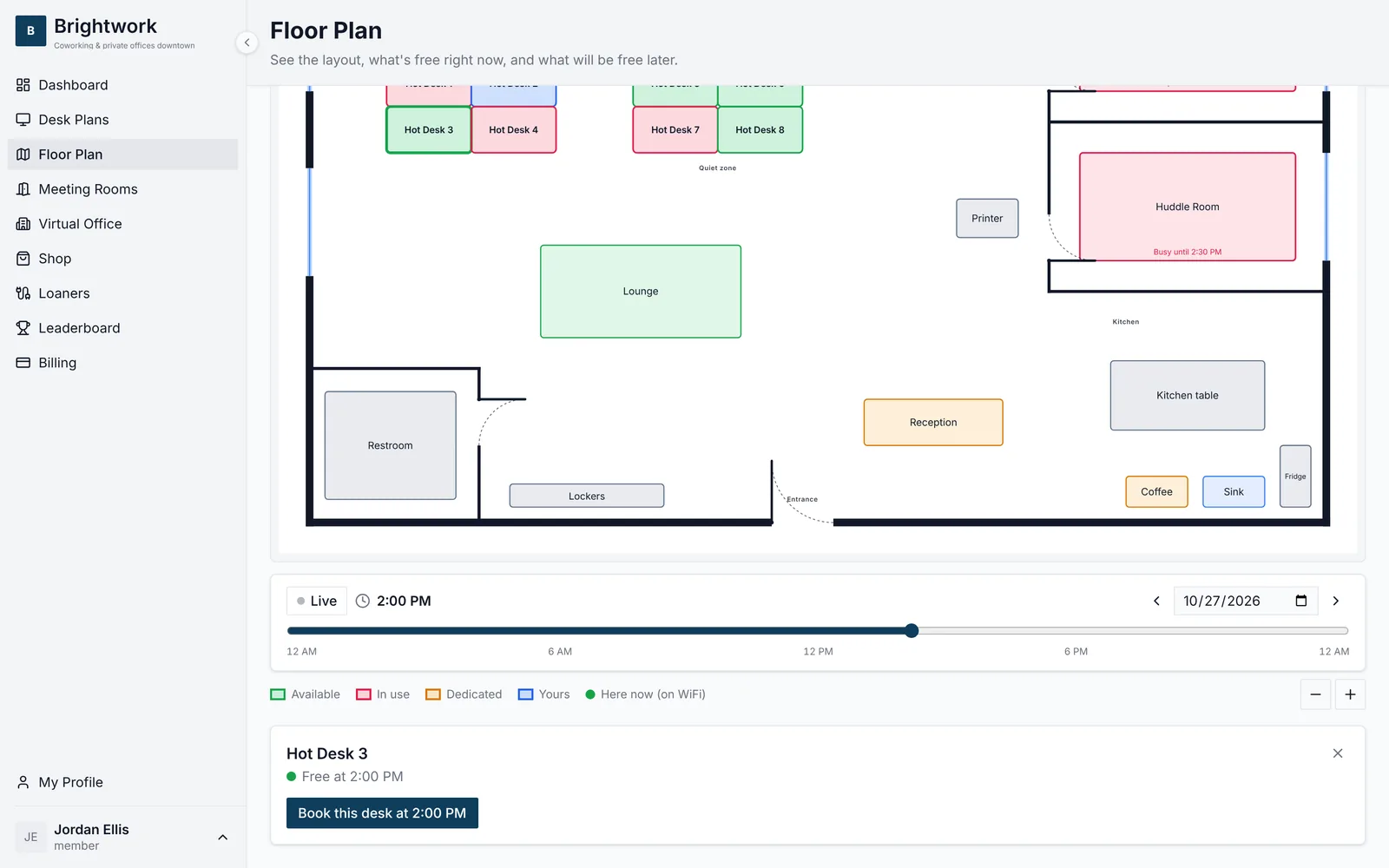
Draw your space once. Watch it fill up live.
Sketch your walls, doors, desks, and rooms on a grid and publish it. Members see what's free right now, slide ahead to see what's free at 2pm, and book straight from the map.
- Live desk and room status, with a green dot for members who are here on the Wi-Fi
- A time slider for later today, and a book button right on the desk or room
- Seat a walk-in who's on the Wi-Fi, or move a booking to another desk, from the admin map
- A 30-day usage heatmap, and a full-screen lobby view for the TV at reception
Billing & invoicing
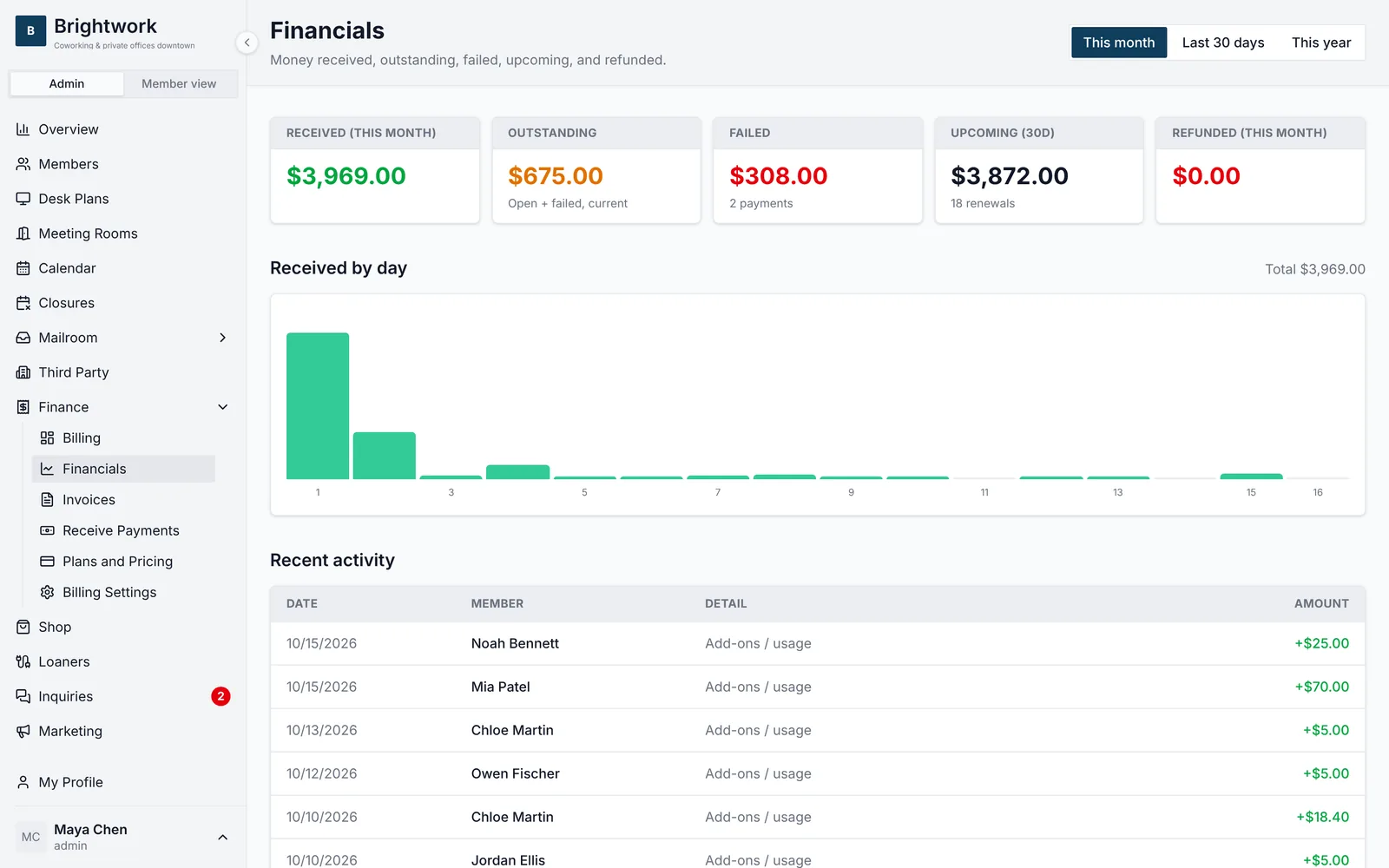
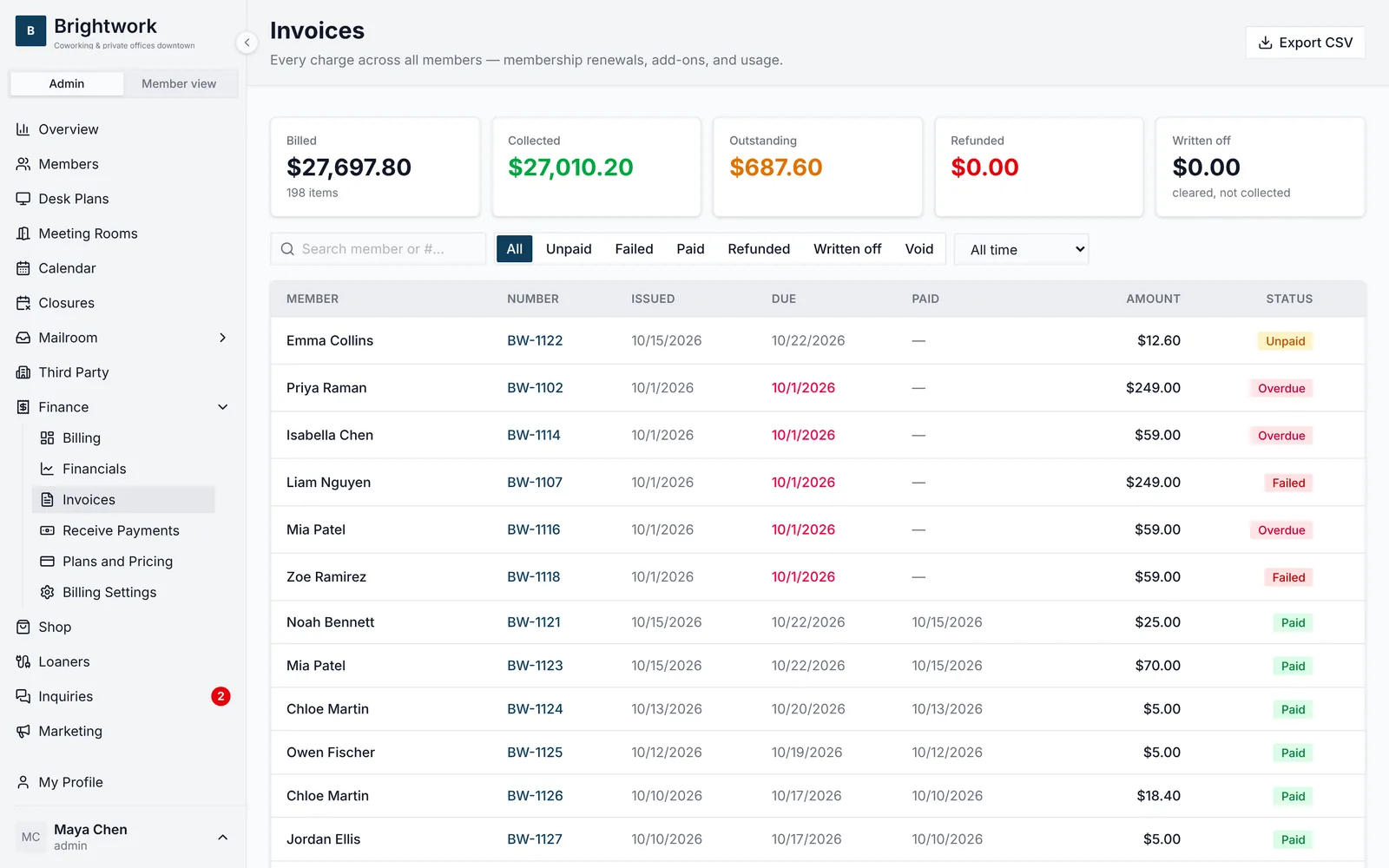
Know what came in, what's owed, and what's next.
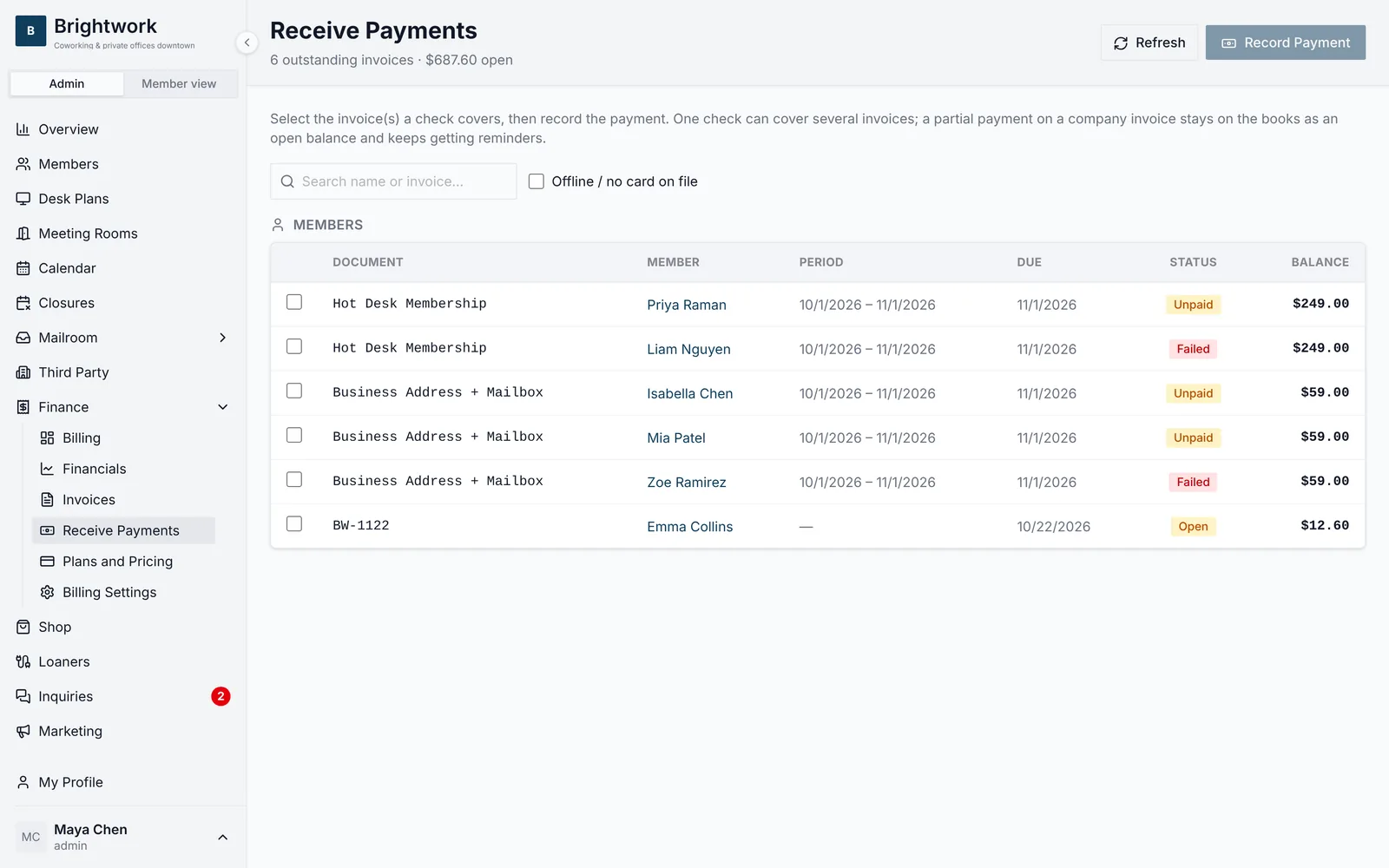
Recurring plans charge through your own Stripe account. Members who pay by check stay on the books properly: their invoice is issued right away, and you record the payment against it when it arrives.
- Received, outstanding, failed, upcoming, and refunded, by period
- Every charge is an itemized invoice with its own number
- Receive Payments: one check can settle several invoices
- Card and ACH on file, automatic retries, account credit, and refunds
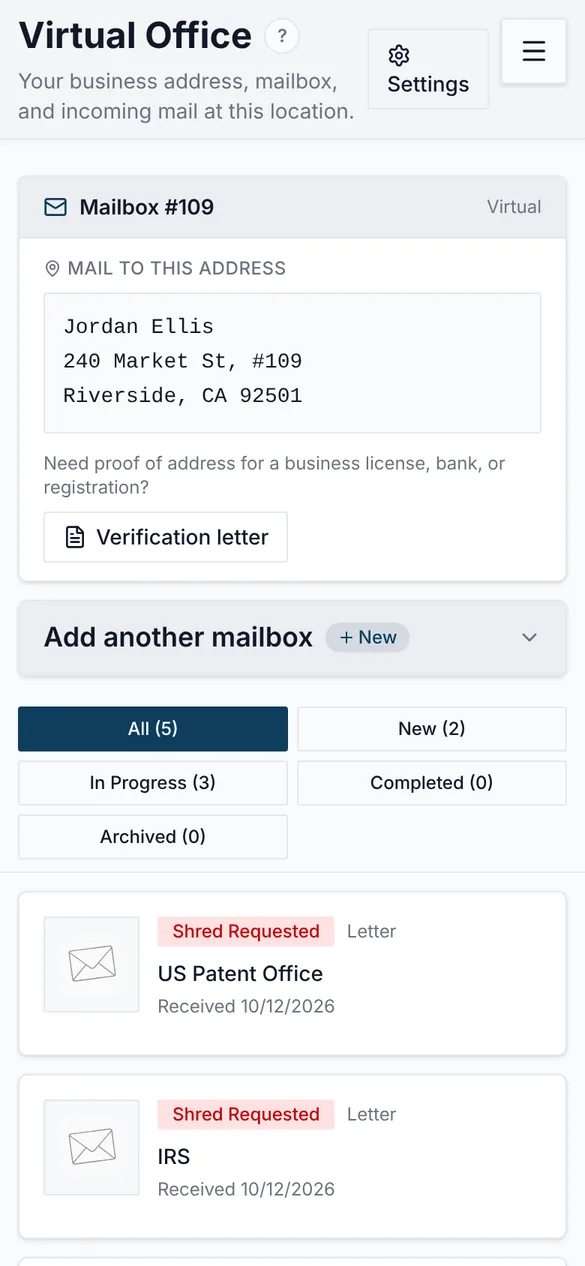
Virtual mailbox
A mailroom that keeps up with itself.
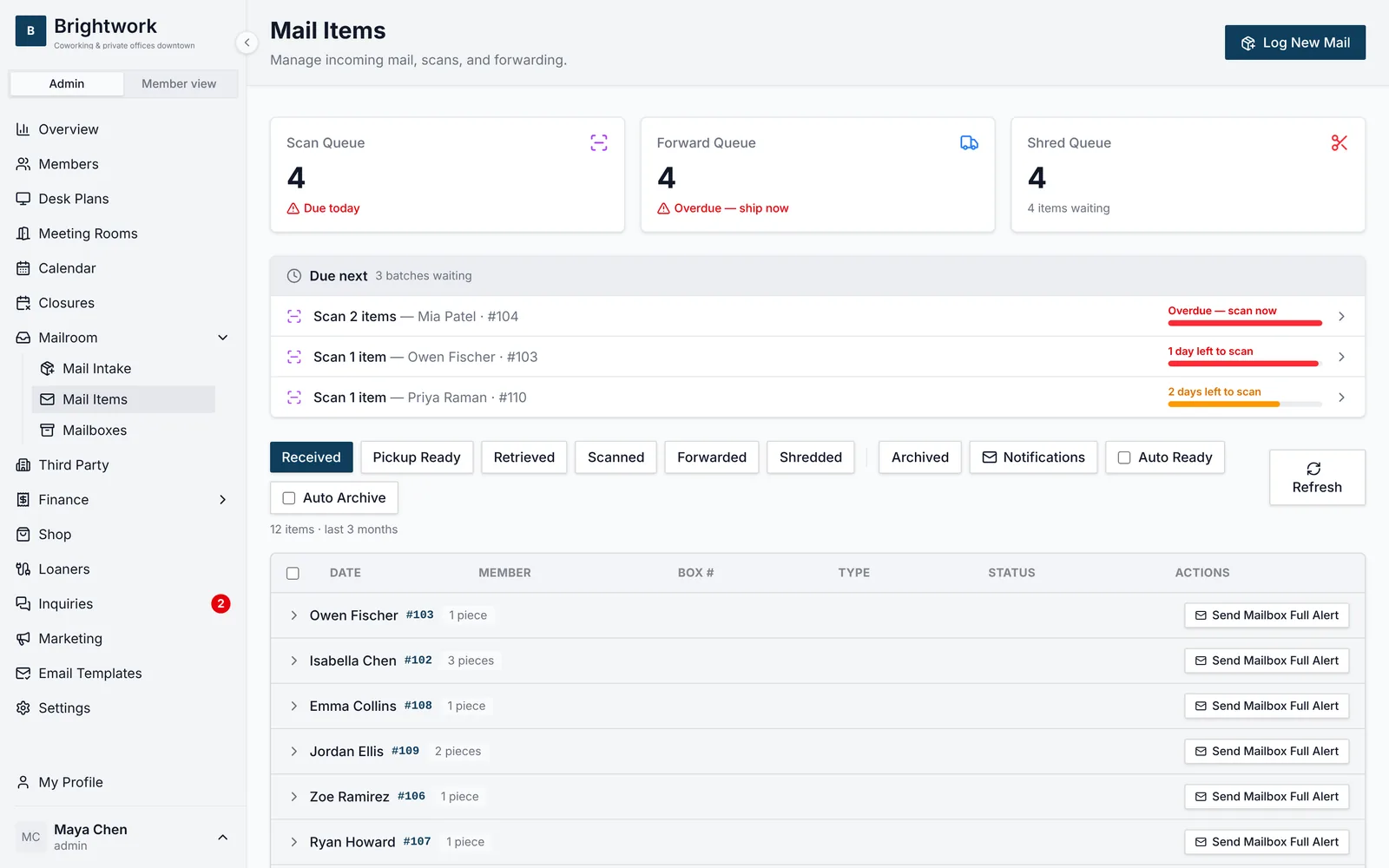
Log a piece of mail and the member is notified. They choose scan, forward, shred, or pickup, and your queues show what's due and what's late.
- Scan, forward, and shred queues with due dates against your own targets
- Batch forwarding, with postage calculated by weight
- Mail marks itself ready for pickup, and old mail archives itself
- PS Form 1583, ID collection, and a business-address verification letter
Member portal
Your members serve themselves, on their phone.
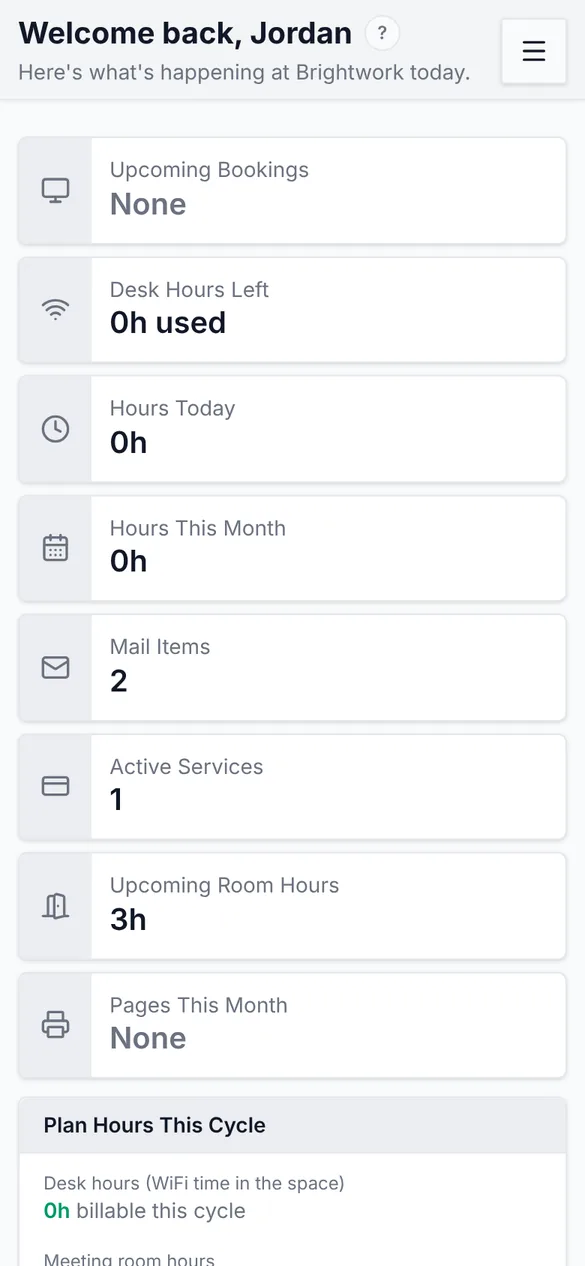
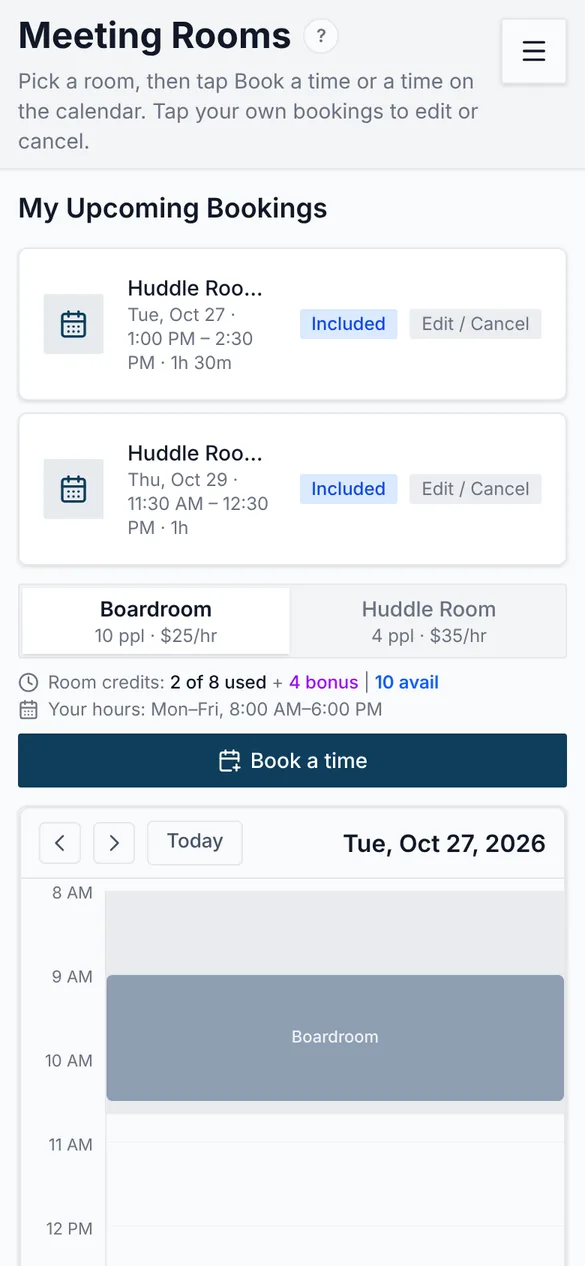
Booking a room, paying a balance, deciding what happens to a letter, asking for a door fob: members do it in the portal, under your brand, without a call to the front desk.
- Plan hours, upcoming bookings, and mail on one dashboard
- Book rooms on a calendar; included hours apply first
- Manage cards, plans, and invoices without asking you
- Request a fob or Virtual Key with a photo ID
Growth
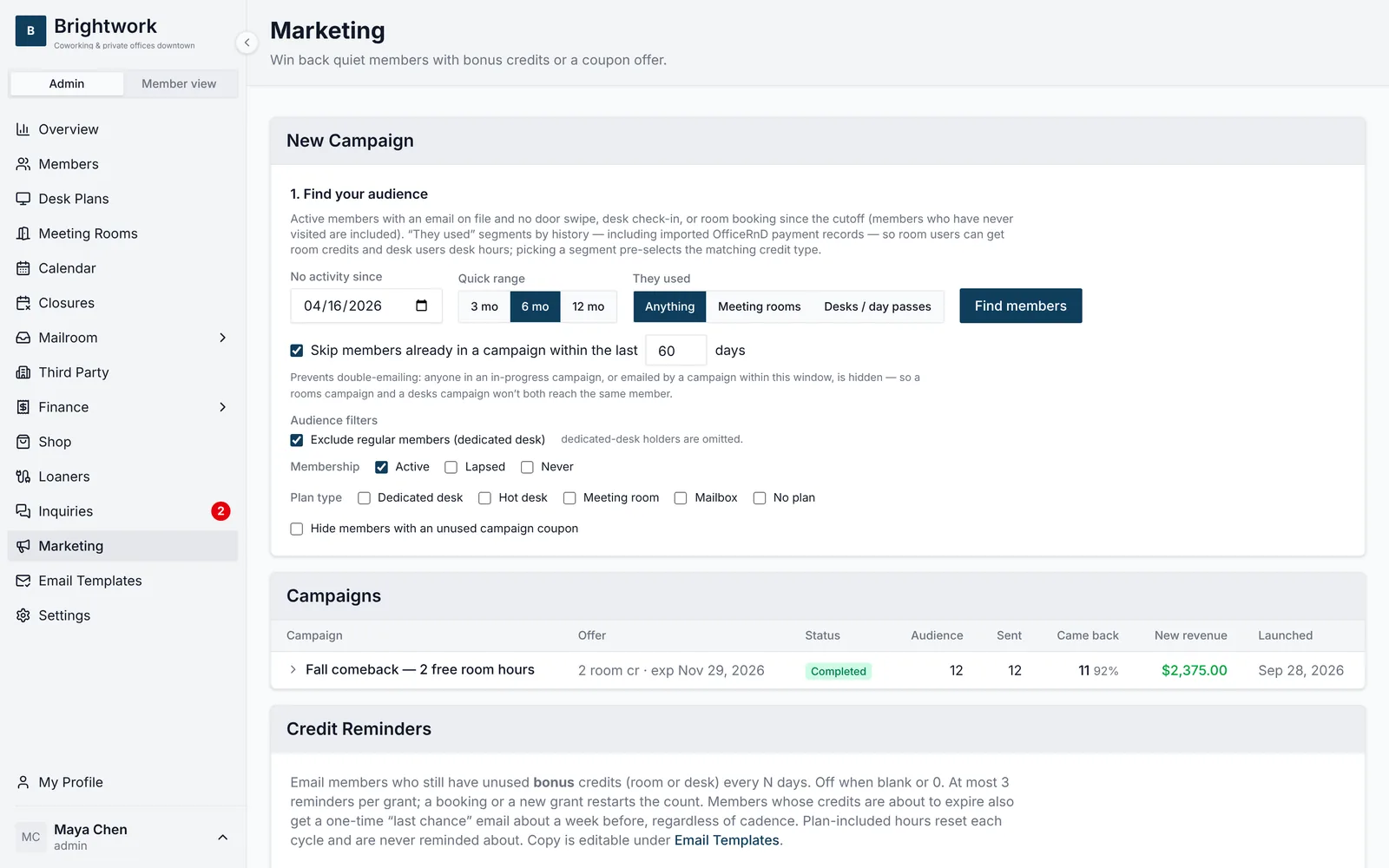
Bring quiet members back, and see who came.
Pick members who haven't been in since a date, give them bonus room or desk hours or a coupon, and send it. Results show who returned, what they used, and the new revenue it brought in.
- Audience filters by plan, status, and what they used to book
- Credit or coupon offers, sent all at once or a few a day
- Credit reminders nudge members who haven't used their hours
- Website inquiries in one inbox, with an AI-drafted reply from your own plans and rates
And the small things that eat a Tuesday.
Each of these used to be a separate tool, a spreadsheet, or a sticky note.
Desk QR check-in
Print a QR card for every desk. Members scan to check in; walk-ups get marked in use.
Closures
Schedule a holiday or a shutdown. Affected bookings are cancelled, credits restored, and members emailed.
Shop
Sell coffee, snacks, supplies, or day lockers, charged to the card on file.
Loaners
Lend monitors, hubs, and adapters with due dates, reminders, and a lost-item charge.
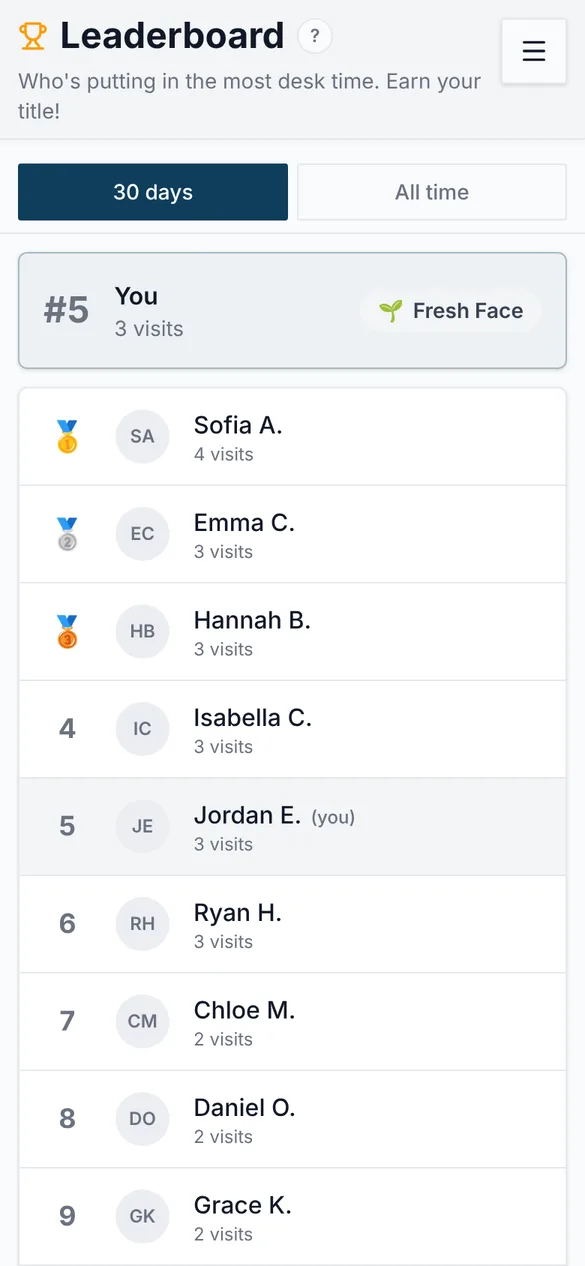
Leaderboard
A friendly ranking of who's in most, with titles from Fresh Face to Space Legend.
Your public website
A site for your space on your domain, with pricing that reads live from your real plans.
Branded email
Every automated email carries your name and colors, and you can edit the wording.
Print tracking
Jobs matched to the member who printed them, so per-page billing is possible.
Live in an afternoon.
Three things stand between you and a working space, and we do them with you on a call, not by handing you a setup wizard.
Connect your Stripe account
xpressDesk uses Stripe Connect, so money moves through your account, not ours. Payouts, disputes, and tax reporting stay yours.
Add your plans and spaces
Desks, rooms, mailbox tiers, day passes, rates. Set them once and the member portal and your public site both read from them. Moving from another platform? We bring your members and history across.
Point your domain at it
Your members see your brand on your domain. xpressDesk runs underneath, and never puts its own name in front of them.
You're not signing a year of your life away.
Most coworking platforms want an annual contract, an onboarding fee, and a phone call with a retention specialist before they'll let you go. We think software should keep your business by being worth paying for each month.
So: month to month, cancel whenever, take your data with you. One email ends it, with no notice period, no retention call, and no exit fee.
- ✓ No annual or multi-year contract
- ✓ No onboarding or setup fee
- ✓ Cancel any time, no notice period
- ✓ No retention call, no exit fee
- ✓ Ask for your data and we'll send it
- ✓ Your Stripe account stays yours
Your Stripe, your money
Payments run through your own Stripe account via Stripe Connect. We never hold your revenue, and you keep your payout schedule, your dispute history, and your rates.
Your brand, your domain
Bring your own domain and colors. Members book, pay, and manage their plan on your site, and never see the word "xpressDesk" anywhere in the flow.
Checks welcome
Not every member pays by card. Members who pay by check get real, numbered invoices, and a check recorded at the front desk settles them, so your books match your bank.
Mail that meets the rules
If you sell mailboxes, you know PS Form 1583. The whole round-trip, from form to ID to approval, is built in, with the retention window handled for you.
Running a real space, every day.
xpressDesk was built for ProDesk Space in downtown Fullerton, California, and it runs that space now: the bookings, the billing runs, the mail, the doors. Every feature here earned its place by solving something that was genuinely annoying on a Tuesday morning.
Ready to run your coworking space on autopilot?
We'll walk you through it, set your space up, and you'll be live in a day.
Month to month. No annual contract, and no setup fee.